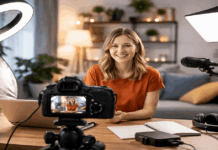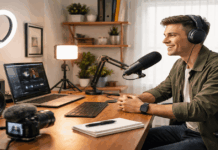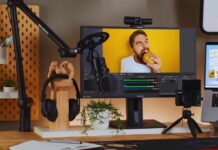
Dropping $300 on a budget creator setup feels like a gamble when the gear guides keep pushing $800 kits. But the gap between “laptop mic and overhead light” and “clean audio plus decent framing” is smaller than the internet makes it seem.
The trick? Audio eats about half your budget, and that split is right. A viewer will sit through grainy 1080p footage. They will not sit through echoey, hollow voice.
This breakdown covers three complete creator setups under $300 with real prices. Each one targets a different recording style: desk, phone, or hybrid.
Every recommendation below comes from gear that was available and priced through B&H Photo Video and brand stores as of early 2026.
Why Audio Deserves the Biggest Slice of a $300 Creator Budget
A lot of new creators obsess over camera resolution and color grading software before recording a single video. Meanwhile, the built-in laptop mic picks up every room echo, keyboard clack, and air conditioner hum. That hierarchy is backwards.
The single biggest quality jump for any home creator under $300 comes from a dedicated microphone placed close to the mouth. Everything else is refinement.
A viewer scrolling through YouTube or TikTok will unconsciously register bad audio as “amateur” faster than bad video. Think about podcasts: millions of people consume audio-only content all day long. Nobody streams silence with a pretty picture.
Dynamic Mics Beat Condensers for Untreated Home Rooms
I would pick a dynamic mic over a condenser for any creator recording in a bedroom, living room, or apartment without acoustic treatment. And I think the Samson Q2U at $99.99 is the clearest example of why.
Condenser mics are more sensitive. That sensitivity is a feature in a treated studio and a problem in a bare-walled apartment.
A dynamic mic like the Samson Q2U rejects more room noise because it needs the sound source closer and louder relative to background reflections. For a new creator who has zero acoustic panels, this matters more than frequency response specs.
The Q2U also has both USB and XLR outputs. That dual connection means it works as a plug-and-play USB mic right now and converts to an XLR setup later if the creator upgrades to an audio interface.
This is one of the few sub-$100 mics that handles both paths without sounding like a compromise on either.
Lavalier Mics for Phone-First Creators
Phone-first creators filming reels, cooking tutorials, or walk-and-talk content have a different problem. A desk mic is useless when the camera moves.
A wired lavalier mic like the BOYA BY-M1 at $14.95 clips to a shirt and keeps voice levels consistent even when the creator turns their head or leans away.
The tradeoff is cable management. The lav cable can rub against clothing and create scratching sounds in the recording.
Routing the cable under a shirt and taping down any loose slack at the clip point fixes this. Small detail, but it saves entire takes from being unusable.
Boom Arms vs. Tabletop Stands: Placement Matters More Than the Mount
A boom arm like the TONOR T20 at $31.99 holds the mic at mouth level while keeping the desk surface clear. That positioning reduces the distance between lips and mic capsule, which is the single variable that makes the biggest difference in home audio quality.
A tabletop stand works too. But the stand sits on the desk, picks up vibrations from typing and mouse clicks, and usually positions the mic lower than ideal. A boom arm removes those problems. For $32, that trade seems obvious to me when paired with a $100 mic.
Lighting a Home Creator Setup on a Tight Budget
Once audio is handled, lighting is the next gear decision. And this is where I think the conventional wisdom trips people up.
Skip the Giant Softbox. A Ring Light Does Enough.
The internet loves recommending softboxes and three-point lighting kits to beginners. I think that advice wastes money and space for a creator who films at a desk.
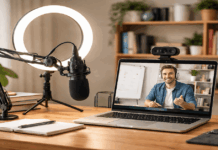
A single ring light placed slightly above eye level and offset to one side creates clean, even face exposure for webcam-style content. That is the entire job.
Two ring lights from the raw gear list are worth comparing directly:
| Feature | Neewer BR60 | Neewer RH10B |
|---|---|---|
| Price | $25.99 | $89.99 |
| Size | Compact desktop | 10-inch, 20W LED |
| Best for | Tight face framing, webcam calls | Wider upper-torso shots, dim rooms |
| Color temp | Bi-color adjustable | Bi-color adjustable |
The BR60 is fine for face-only framing at a desk. But if the shot includes shoulders or upper body, the RH10B throws a wider spread of light that prevents harsh shadows on the edges of the frame.
One detail that gear reviews rarely mention: if the creator wears glasses, a ring light aimed straight at the face produces circular reflections on the lenses. Tilting the light 15 to 20 degrees to one side removes this problem without losing the fill effect.
Also read: Home Recording Setup for Online Teaching
Webcams, Tripods, and Picking the Right Support Gear
Camera choice depends entirely on the recording workflow. Desk creators streaming or recording tutorials benefit from a dedicated webcam. Phone-first creators already own a better camera than any webcam under $100.
A $60 Webcam Paired with Good Light Beats a $150 Webcam in Bad Light
The Logitech C920s at $59.99 is a 1080p webcam that has been on “best budget webcam” lists for years. And there is a reason it keeps showing up: it produces a clean image when the room is well-lit. That last part matters.
Webcam image quality is disproportionately dependent on lighting. A C920s under the Neewer BR60 ring light looks sharper and more color-accurate than a webcam costing twice as much sitting under a dim ceiling lamp.
So the creator who spends $26 on a ring light and $60 on a C920s gets a better result than the creator who spends $120 on a webcam and nothing on light.
Phone Tripods and GorillaPods: Stable Framing Changes Everything
Shaky phone footage signals “unplanned” to the viewer, even subconsciously. A compact tripod like the Magnus MTT-100 at $16.95 includes a phone holder and gives stable, lockable framing for desk or table setups.
The JOBY GorillaPod 1K at $39.99 is a different tool. Its flexible legs wrap around poles, shelves, or uneven surfaces.
That flexibility is useful for creators who shoot in kitchens, workshops, or outdoor spots where a flat tabletop is not available. But for a pure desk setup, the Magnus tripod does the same job for less than half the price.
A simple workflow trick that separates consistent creators from improvised ones: mark the tripod position on the desk or floor with tape.
Recreating the same framing each session means the creator spends zero time fiddling with angles and can start recording immediately.
Three Complete Budget Creator Setups Under $300 (Priced for 2026)
All prices below are pulled from B&H Photo Video and Neewer’s official store as of early 2026. Each setup assumes the creator already has a phone or computer for recording.
The three bundles target different workflows:
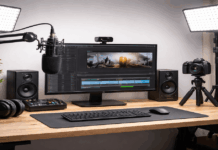
- Desk Creator Kit ($217.96): Logitech C920s webcam ($59.99), Samson Q2U mic ($99.99), TONOR T20 boom arm ($31.99), Neewer BR60 ring light ($25.99). Best for talking-head videos, streaming, and course-style content. Swap the BR60 for the RH10B ring light to support wider framing and the total becomes $281.96.
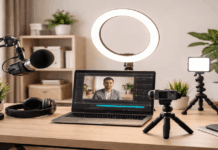
- Phone-First Creator Kit ($121.89): BOYA BY-M1 lav mic ($14.95), Magnus MTT-100 tripod with phone holder ($16.95), Neewer RH10B ring light ($89.99). Built for reels, TikTok clips, and short tutorials. Lowest cost, fewest parts, fastest setup time.
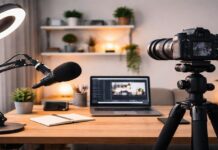
- Hybrid Kit ($157.88): Samson Q2U mic ($99.99), Neewer BR60 ring light ($25.99), JOBY GorillaPod 1K ($39.99). Keeps the phone camera’s flexibility while adding broadcast-style audio. Good fit for creators who want studio voice quality and mobile video.
The hybrid kit is the one I find myself recommending for creators who plan to grow. The Samson Q2U mic transitions to an XLR interface later, and the GorillaPod works in locations a standard tripod cannot reach.
The total sits at $157.88, leaving over $140 of the $300 budget for upgrades down the road.
Setup Habits That Matter More Than Buying More Gear
Gear gets the footage started. Habits keep it consistent. Three quick rules worth pinning above the desk:
- Mic distance over mic price. Getting the mic 4 to 6 inches from the mouth matters more than whether the mic cost $30 or $150. Close placement means the voice is always louder than the room.
- Light above eye level, never behind the creator. A light behind the subject darkens the face and creates a silhouette. Even a cheap ring light placed in front and slightly above the eyeline fixes this.
- Lock the shot and mark the spot. Taping the tripod position on the desk or floor saves five minutes of repositioning every session. That five minutes is often the difference between recording and procrastinating.
Questions People Ask About Budget Creator Setups
Q: Can a budget creator setup under $300 produce content that looks professional?
Absolutely, if the lighting and audio are handled well. Viewers judge professionalism by voice clarity and consistent exposure more than camera resolution. A $120 phone kit with a ring light can outperform a $500 camera in a dark room.
Q: Should I buy a condenser mic or a dynamic mic for home recording?
For an untreated room like a bedroom or apartment, a dynamic mic such as the Samson Q2U rejects more background noise. Condenser mics pick up everything, which is a problem when “everything” includes your neighbor’s dog and the AC unit.
Q: Do I really need a boom arm, or is a desk stand enough?
A desk stand works, but it picks up typing vibrations and sits lower than the ideal mic position. The TONOR T20 boom arm at $31.99 solves both problems and keeps the desk surface open for notes or a second monitor.
Q: What is the first upgrade I should buy after my starter kit?
Acoustic treatment. A $40 pack of foam panels on the wall behind the mic will improve audio quality more than a mic upgrade. This is the step that almost every gear guide skips, and it makes a bigger difference than spending $200 on a new microphone.
Q: Are ring lights better than softboxes for budget setups?
For desk creators, yes. A ring light takes up less space, costs less, and produces even face lighting at close range. Softboxes shine for full-body or product shots, but that is a different workflow at a different budget level.
Conclusion
The best budget creator setup under $300 is the one built around a clear microphone first. Audio quality separates watchable content from background noise that viewers instinctively click away from.
Pick the kit that matches where and how the content gets recorded, not the kit with the longest spec sheet.
Start recording this week, mark the tripod spot with tape, and upgrade only when the workflow itself reveals a limit.