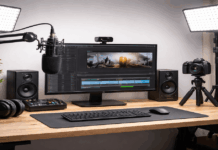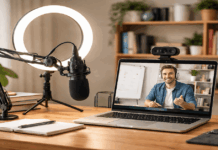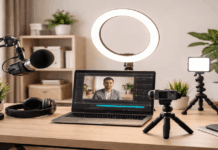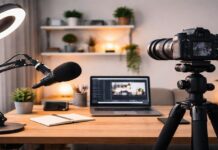
A minimalist creator setup is a small system that helps you create without clutter, stress, or constant troubleshooting.
It is not about owning the least amount of gear, but about keeping only what supports your real workflow.
This is useful for creators making videos, podcasts, voiceovers, livestreams, written content, or social posts from home.
The best setup starts with what you already own, then improves only when the same problem keeps getting in the way.
Start With a Clear Creator Goal
A minimalist setup should begin with purpose, not shopping. When the goal is vague, every new tool starts to look useful, even when it does not solve the real problem.
A clear goal helps you decide what matters now and what can wait. It also keeps your setup focused enough to use every week.
Choose One Main Format First
Pick one primary format for the next 30 days, such as short videos, talking-head content, podcasts, writing, or livestreaming.
This does not mean you cannot create anything else, but it gives your setup a clear direction. Video creators usually need better light and framing, while voice creators need cleaner audio first.
When you focus on one format, you improve through repetition instead of constantly changing tools.
Decide What “Good Enough” Looks Like
Minimalism works better when you know what result is acceptable for now. A beginner video does not need a perfect studio look if the message is clear, the audio is understandable, and the frame is steady.
A podcast does not need expensive equipment if the voice sounds clean and consistent. Setting a realistic standard keeps you from delaying content because the setup is not perfect yet.
Set a Budget and Space Limit
A simple budget protects you from buying gear just because it looks popular. A space limit does the same thing physically, especially if you work from a bedroom, shared desk, or small apartment.
For example, you might decide that your whole creator setup must fit on one desk and one shelf. If a new item does not solve a repeated issue or replace something less useful, it probably does not need to come in yet.
Build a Space You Can Return To Easily
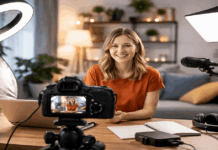
You do not need a full room to create regularly. A quiet corner, small desk, window area, or simple wall setup can be enough if it is easy to use again.
The main goal is to reduce the effort needed before you start creating. When your space is predictable, you spend less time resetting and more time publishing.
Pick One Corner and Keep It Consistent
A consistent corner helps you avoid repeating the same setup decisions every session. You already know where the camera goes, where the light should sit, and what the background looks like.
This makes it easier to create on busy days when you do not have extra energy to rearrange the room.
A setup that stays ready will usually help you publish more than a “better” setup that takes too long to prepare.
Also Read: Beginner-Friendly Home Studio Setup Guide
Use Light and Sound Before Buying a New Camera
Many quality problems come from poor light, bad framing, or weak audio, not from the device itself. A phone or laptop can work well when the face is lit clearly and the camera is steady.
Natural light from a window is a good starting point, especially when it comes from the front instead of behind you. If daylight changes too much, one simple lamp or creator light can make your setup more reliable.
Keep the Background Calm and Useful
A clean background does not have to be empty. A plain wall, curtain, tidy shelf, or simple desk area can all work if they do not distract from your message.
Avoid bright packaging, random piles, or objects that pull attention away from your face or voice. If you also want to improve sound, soft items like rugs, curtains, blankets, or fabric chairs can help reduce echo in a small room.
Choose Gear That Solves Real Problems
Minimalist gear should earn its place. Every item should either improve quality, save time, or make your workflow easier.
If a tool only looks nice but adds more setup steps, it may not be worth keeping. Start with the device you already use most, then upgrade around the biggest issue you keep noticing.
Improve Audio Before Chasing Better Video
Audio is often the first upgrade worth considering because people leave quickly when sound is hard to understand.
A basic lav mic, wired earbuds, or simple microphone can already improve speech compared with a built-in laptop mic.
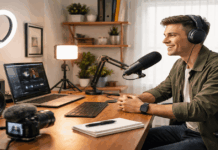
If you record at a desk, a USB mic is practical because it can stay in place and give you a repeatable sound. If you move around while filming, a small clip-on microphone may fit your workflow better.
Stabilize the Camera With One Simple Support
A steady frame makes content feel more intentional, even when the setup is basic. You can use a tripod, phone clamp, laptop stand, or a stable stack of books at the beginning.
The important thing is to keep the camera at a natural height and prevent it from moving during recording.
Eye-level framing usually looks cleaner than a low desk angle that shows the ceiling, clutter, or awkward shadows.
Keep the Desk Comfortable and Uncluttered
A minimalist setup should feel good to use for more than a few minutes. If your chair is uncomfortable, the screen is too low, or the desk is crowded, creating will feel heavier than it needs to.
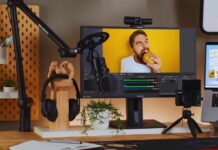
Keep the desktop open enough for notes, a drink, small tools, and the device you use most. If the desk is shared, a tray or small box can hold your creator essentials and be moved away quickly.
Create a Workflow That Keeps the Setup Ready
A minimalist setup is not only about gear. The workflow matters because it turns ideas into finished posts.
Without a simple system, even a clean desk can become stressful. The easier your routine is to repeat, the more likely you are to keep publishing.
Use One Weekly Routine
A simple routine helps you avoid wasting time before and after creating. It also prevents small problems, like missing files or low batteries, from slowing you down later. You can keep the routine short as long as it covers the parts that usually cause delays.
- Check light, audio, background, and camera framing before recording.
- Save files with the date and topic.
- Keep raw files and finished exports in separate folders.
- Reuse outlines, captions, templates, or editing presets.
- Back up important files once a week.
Maintain the Setup With Small Habits
Small maintenance habits keep your setup ready without turning it into another big task. Wipe your lens, clear your desk, charge devices, and check cables on a regular day each week.
Store small items like adapters, memory cards, batteries, and cleaning cloths in one place so they do not disappear when you need them. These habits may seem minor, but they remove the tiny delays that often stop people from creating.
Upgrade Only When the Same Issue Repeats
A minimalist setup can grow, but it should grow with intention. One bad recording day does not always mean you need new gear.
If your sound is unclear every week, improve the microphone or room setup. If your videos always look dark, lighting should come before another camera upgrade.
Conclusion: Keep the Setup Small Enough to Use Often
A minimalist creator setup works when it stays simple, ready, and connected to your real publishing habits.
Start with one main format, one reliable space, and the tools you already own. Improve the parts that repeatedly slow you down, but avoid buying items just in case.
A small setup that helps you publish this week is more useful than a perfect setup you keep waiting to build. When your space stays clear and easy to use, creating feels lighter and more consistent.