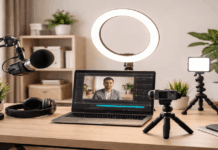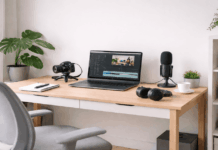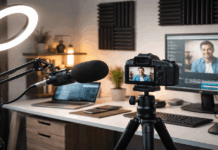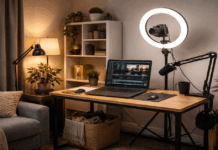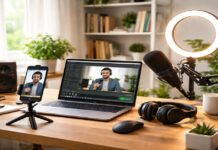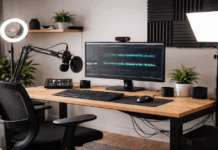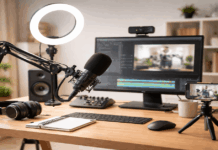
A clean background starts when you decide what the camera should show and what it should hide.
Stand where you will record and look behind you like a viewer seeing your room for the first time.
Keep your framing consistent so your lighting, webcam settings, and tripod height stay repeatable.
Why You Want a Clean Background
A clean background matters because it directly affects how your video is perceived, even before you start speaking.
- First, it keeps attention on you and your message, not on objects, movement, or visual noise behind you. Viewers decide in seconds whether a video feels clear and trustworthy, and clutter instantly pulls focus away from your face and voice.
- Second, a clean background makes your lighting and camera quality look better.
Even basic webcams and lights perform noticeably better when the background is simple, evenly lit, and predictable. - Third, it improves professional credibility without extra cost.
A tidy wall or intentional setup often looks more professional than an expensive camera placed in a messy room. - Finally, it creates consistency across videos, which helps viewers recognize your content and feel comfortable returning. When your background stays clean and stable, your setup feels reliable, and your content feels easier to watch.
Choose Your Camera Angle First
Set your webcam or camera on a tripod at eye level so the shot feels natural and steady.
Avoid aiming up from a low desk angle because it shows ceilings, clutter, and awkward shadows.
Leave a little space above your head and keep your face centered for a calm, professional look.
Decide What Story Your Space Tells
Pick a background that matches your content, like a simple desk for tutorials or a clean shelf for reviews.
Limit your background to a few intentional objects so viewers focus on your voice and message.
If you record gear content, one tripod, one mic stand, and one small light can signal “creator” without mess.

Pick the Cleanest Wall or Corner You Have
A plain wall is the easiest background because it removes visual noise and reduces distractions.
A corner can work well because it adds depth and lets you place small lights without being seen.
Choose a spot where you can control what enters the frame, including doors, windows, and walkways.
If your room is busy, create a “recording zone” that stays set up so you do not reset every time.
Use a Solid Backdrop When You Need One
A fabric backdrop on a stand gives you a clean look even in a crowded room.
Choose matte materials that do not reflect light, since shine can look messy on camera.
Pull the backdrop tight or steam it so wrinkles do not create distracting lines behind you.
Make a Shelf Look Intentional, Not Random
Use shelves only if you can keep them tidy and consistent between recordings.
Group items in small clusters, like books together and one plant or lamp to break the pattern.
Avoid bright packaging or busy patterns that compete with your face and lighting.
Control Clutter With Distance and Depth
The fastest way to make a background look clean is to move yourself away from it.
Even a simple webcam looks better when the background is a few feet behind you.
Distance helps blur distractions and makes your lighting easier to separate from the wall.
If space is tight, shift your desk forward and keep the background area minimal and curated.
Create Depth With Foreground and Background Separation
Place your chair and camera so you are not pressed against the wall.
Add one subtle background element, like a small lamp or plant, to avoid a flat “mugshot” look.
Keep that element off to the side so it supports the frame without stealing attention.
Hide the Mess With Smart Cropping
Tighten your camera framing so only the cleanest area stays in view.
Raise the tripod slightly and angle down a touch if your floor area is cluttered.
Avoid extreme zoom on webcams, because digital zoom can reduce sharpness and make noise more visible.

Examples of Good Clean Background
| Clean Background Example | Pros | Cons | Basic Requirements |
|---|---|---|---|
| Plain Wall Setup | Very clean and distraction free, easy to light evenly, works with any camera | Can look flat or boring if not lit well | Clear wall, soft key light, tripod at eye level |
| Fabric Backdrop on Stand | Consistent look in any room, hides clutter completely, portable | Takes floor space, wrinkles show if not stretched | Backdrop stand, matte fabric, light to remove shadows |
| Minimal Desk Background | Feels natural and relatable, works well for tutorials and reviews | Can become cluttered over time | Clean desk, cable management, simple props only |
| Shelf With Limited Items | Adds personality and depth, good for creator branding | Easy to overload visually | Curated shelf, neutral colors, controlled lighting |
| Corner Setup With Depth | Adds visual separation, reduces flat wall look | Requires careful light placement | Corner space, key light, optional background light |
| Blurred Background (Distance-Based) | Hides minor clutter, looks professional on camera | Needs space and decent camera sensor | 1–2 meters distance, webcam with good low-light performance |
| Backdrop + Accent Light | Polished and studio-like, strong subject separation | Can look artificial if overdone | Backdrop, small LED accent light, controlled brightness |
| Curtain or Neutral Drape | Soft texture, easy to install temporarily | Fabric can move or wrinkle | Neutral curtain, rod or clips, steady airflow |
| Portable Room Divider | Fast setup, hides entire room section | Bulky and less flexible | Folding divider, stable placement, basic lighting |
| Virtual Background (Last Resort) | No physical setup needed | Often looks fake, edges break easily | Green screen or strong lighting, compatible software |
Conclusion
A clean video background is about consistency, control, and small intentional choices.
When your space, lighting, camera, and audio work together, your setup looks professional even in a normal room.
Keeping your background simple helps viewers focus on your message, your voice, and your content.