If you’re building a simple home setup, the fastest upgrade you can make is choosing the best software for audio recording and editing.
Beginners usually need three things: clean recording, easy edits, and reliable export settings for video or podcast platforms.
The options below cover free, budget, and “grow-with-you” tools—plus real-world pricing, so you can plan your setup without guessing.
What Beginners Actually Need in a Home Recording Setup
Before software, confirm the basics of your chain:
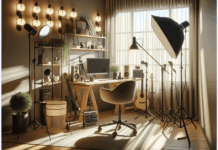
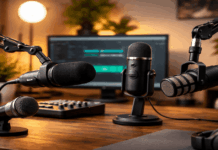
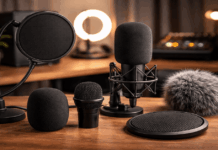
- Microphone + placement: A decent mic close to your mouth beats an expensive mic across the room. Use a simple stand or boom arm and aim for consistent distance.
- Room control: A quiet room and soft surfaces (curtains, rug, foam panels) often matter more than fancy plugins.
- Monitoring: Headphones help you catch clipping, hum, and background noise while recording.
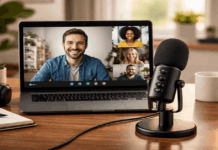
- Video creators: If you’re recording with a webcam or camera, you’ll want easy exports (WAV/MP3) and simple syncing.
Once those are covered, software becomes the tool that makes your audio repeatable—episode after episode, video after video.
Now let’s break down what each one is best at—and who should use it.
Audacity (Free): Simple Editing, Huge Community, Great Starter Tool
Audacity is one of the most common first stops for beginners because it’s free and runs on Windows, macOS, and Linux.
Audacity’s official downloads page describes it as “free, open source” and multi-track.
It’s ideal if you’re learning the basics like trimming silence, normalizing levels, and exporting clean audio for YouTube, TikTok voiceovers, or podcast hosting.
Why it fits home creators
Fast for basic editing on modest laptops
Good for voiceovers, interviews, and simple multi-track projects
Lots of tutorials and beginner guides
Limitations to expect
Not as “guided” as modern podcast editors
Workflow can feel manual compared to newer AI-assisted tools
If you’re also wondering “what is the most popular recording software”, popularity depends on how you measure it.
GarageBand (Free on Mac): Easiest Start for Mac Creators
GarageBand is a beginner-friendly DAW (digital audio workstation)
Especially good for creators who want to record clean voice, add music beds, and export quickly.
Why it fits home video + audio setups
Simple interface for recording voice and basic music.
Great with USB mics and small audio interfaces.
Easy exports for editing video elsewhere.
Limitations
Advanced podcast workflows (batch processing, transcripts) require extra tools.
If you’re building a “webcam + mic + light” setup and want minimal friction, this is the fastest start on Mac.
REAPER ($60): Best Budget “Serious” Option That Still Stays Lightweight
Reaper is often recommended when beginners want pro-level control without a subscription.
It lists two license tiers: $60 discounted and $225 commercial.
For most home creators, the $60 option is why it’s commonly labeled the best budget audio recording software.
Why it fits beginners who want to grow
Handles podcasts, voiceovers, and music recording in one place.
Runs well even on older PCs.
Extremely customizable once you’re ready.
Trade-off
Not as “hand-holding” as beginner editors, so there’s a learning curve.
If you want one tool that can scale from your first mic test to full multi-track productions, REAPER is a smart value pick.
Descript (Free + Paid Plans): Fastest Podcast-style Editing for Beginners
Descript is popular with podcasters and everyday creators because it’s built around transcript-style editing.
It also includes creator-focused tools (like cleaning dialogue and speeding up edits).
It shows a Free option and paid tiers including Hobbyist ($16–$24 per month) and Creator ($24–$35 per month).
Why it fits “best audio recording software for podcasts”
Faster editing for spoken-word content.
Good for creators who want social clips from longer recordings.
Often reduces the “I hate editing” barrier.
Trade-off
Subscription-style costs can add up if you only record occasionally.
For beginners producing weekly episodes, Descript can be worth it simply because it speeds up the boring parts.
Pro Tools: Learn a Common Pro Workflow
Pro Tools Intro as a free entry DAW, and “free forever” on Avid’s Pro Tools page.
That makes it a no-risk way to learn the Pro Tools style of editing and session management.
If you later need more features, Pro Tools has paid tiers. Pro Tools Artist at $9.99/month or $99/year (US pricing).
Why it fits creators
Good skill-builder if you may collaborate with others later.
Solid audio editing workflow once you learn it.
Trade-off
Interface can feel less beginner-friendly than GarageBand/Descript.
Adobe Audition: Strong Editing and Restoration, But Subscription Priced
Adobe Audition is positioned as a professional audio workstation, and Adobe lists it at US$22.99/month (annual billed monthly plan).
For creators already using Adobe tools for video (like Premiere Pro), Audition can fit naturally in the workflow.
Why it fits home studios
Strong audio cleanup and repair tools.
Smooth integration with Adobe video workflows,
Trade-off
Subscription cost makes it less attractive if you only record occasionally.
Auphonic (Free Tier): Quick Leveling for Podcasts and Dialogue
If your biggest problem is inconsistent loudness (too quiet, too loud, uneven guests), Auphonic is a popular post-processing step.
Its pricing page states it’s free for 2 hours of processed audio per month, with options to buy additional credits.
This can be a practical add-on for beginner podcasters who want consistent volume without deep mixing knowledge.
How to Choose (Podcasts vs Video vs General Recording)
Use these simple matchups:
- Solo voiceovers for video: GarageBand (Mac) or Audacity (any OS)
- Interview podcast with regular episodes: Descript + optional Auphonic leveling
- You want one tool to grow into: REAPER ($60)
- You want to learn a widely recognized DAW style: Pro Tools Intro
- You’re already in Adobe for video: Adobe Audition
Conclusion
Choosing the right tool matters because your software becomes the “last mile” between a decent microphone and a polished recording.
If you want the best audio recording software free, Audacity or GarageBand (Mac) can get you recording and editing today without extra costs.
If you need the best software for audio recording and editing on a tight budget, REAPER’s low-cost license is a strong long-term value.